
Learn more about new updates, features and functionality within our product.
Get email notifications whenever there are new product updates.

We have made several visual and functional updates to the translation screens to make the app easier to use on the go. The buttons for selecting languages and typing have been made larger and easier to tap, and we fixed cut-off text in the language selection menu. Additionally, you can now tap directly on the language names inside the translation cards to quickly make changes.
2026-09-18
2026-09-18
We have upgraded how the app plays back spoken translations. Instead of making you wait for the entire translation to load before speaking, the app now starts playing the audio almost instantly as it is generated. This ensures smoother, faster communication with patients during critical face-to-face conversations.
2026-09-18
New users will now find a selection of useful phrase lists already starred and ready to use when they create an account. This makes it easier to find relevant medical phrases and start communicating right away, while still letting you customize your lists to fit your needs.
2026-09-11
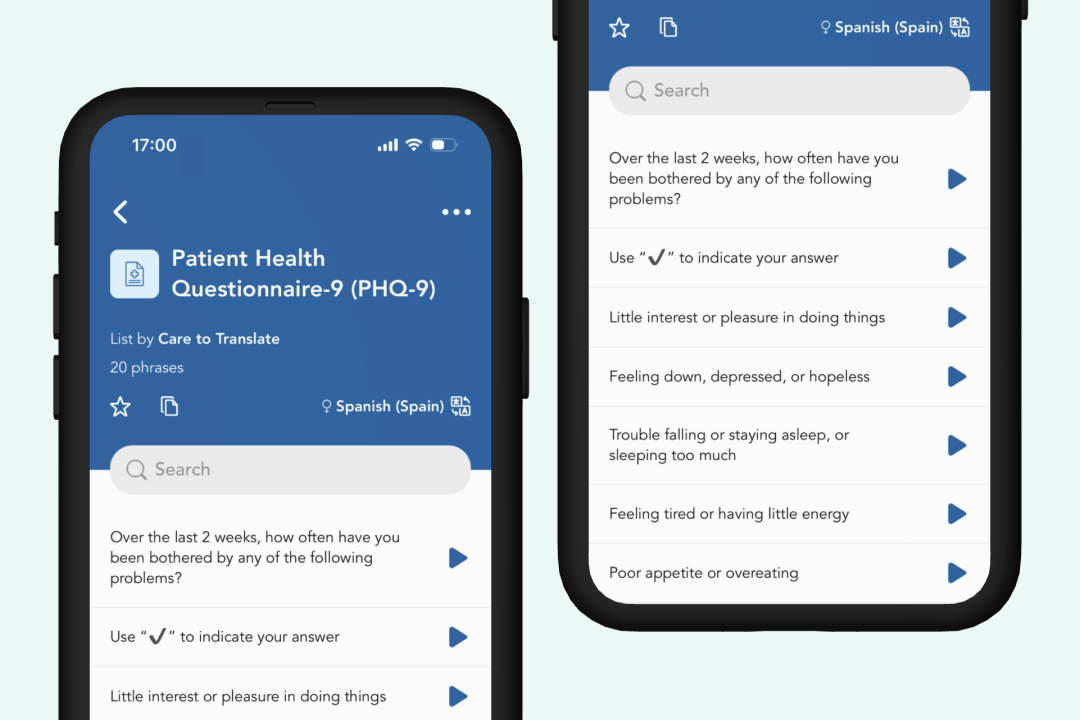
The Patient Health Questionnaire-9 (PHQ-9) is now available directly in Care to Translate. Healthcare professionals can select an available language and guide patients through the nine-item depression screening without switching between different tools.
The PHQ-9 supports screening and symptom monitoring but does not replace a full clinical assessment. Responses, particularly those indicating thoughts of death or self-harm, must be followed up according to the organisation’s established clinical and emergency procedures.
2026-09-02
2026-09-02
Users who already have permission to create and edit shared lists in the Portal can now do so directly within the app. This streamlines management for admins who need to make changes on the go without logging into the Portal.
2026-09-02
We have refreshed the visual design of our login and registration screens to provide a cleaner entry experience. As part of this update, Single Sign-On (SSO) buttons have been removed from the main landing page and are now exclusively available right where you need them – directly on the login and sign-up screens.
2026-09-02
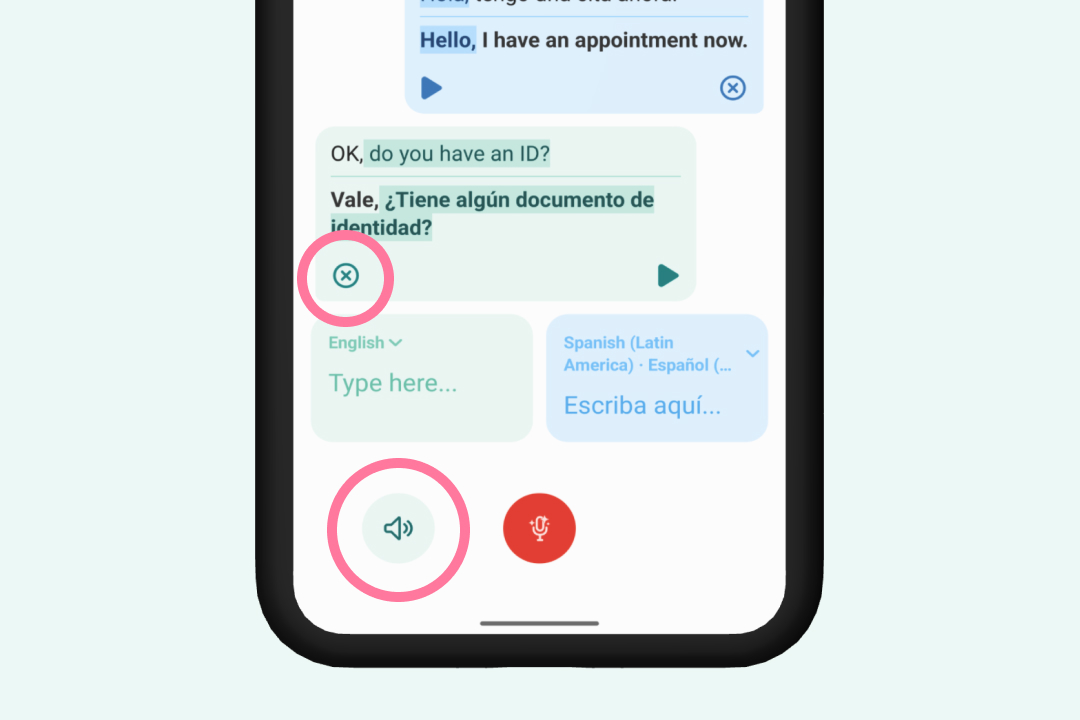
We have continued to refine the hands-free mode interface to deliver a faster, more intuitive user experience:
2026-09-02
2026-08-20