
Explore all the features of Care to Translate.
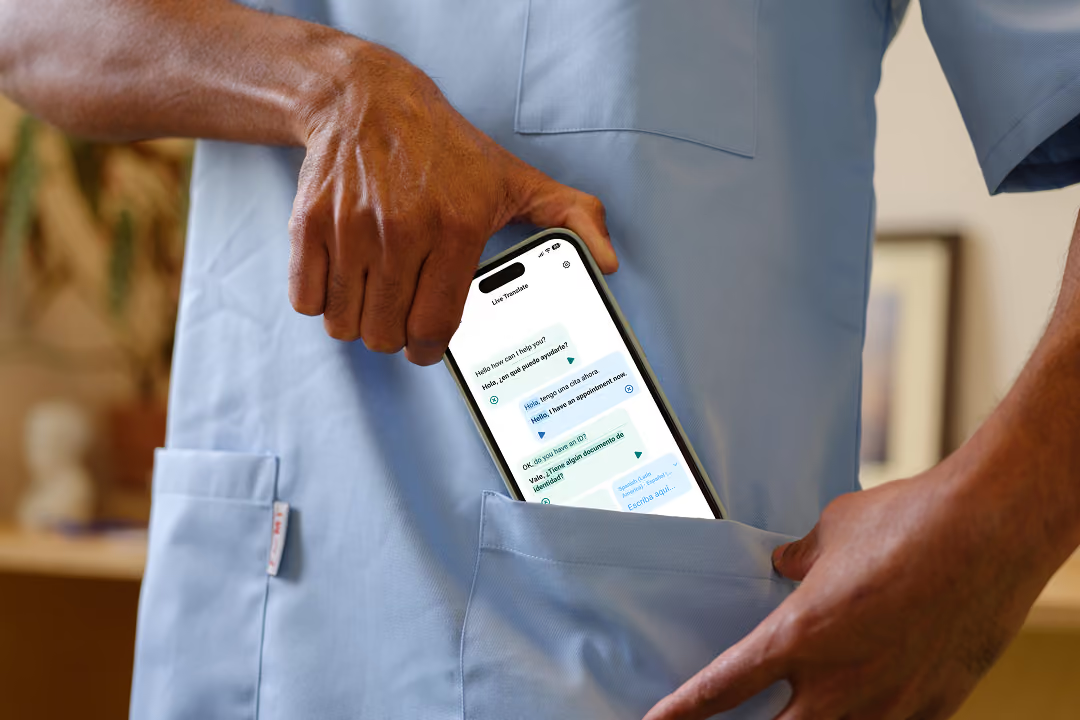
Care to Translate is a medical translation app that helps bridge language barriers between patients and healthcare providers. Use it as a complement to regular interpreters or when interpreters are unavailable.
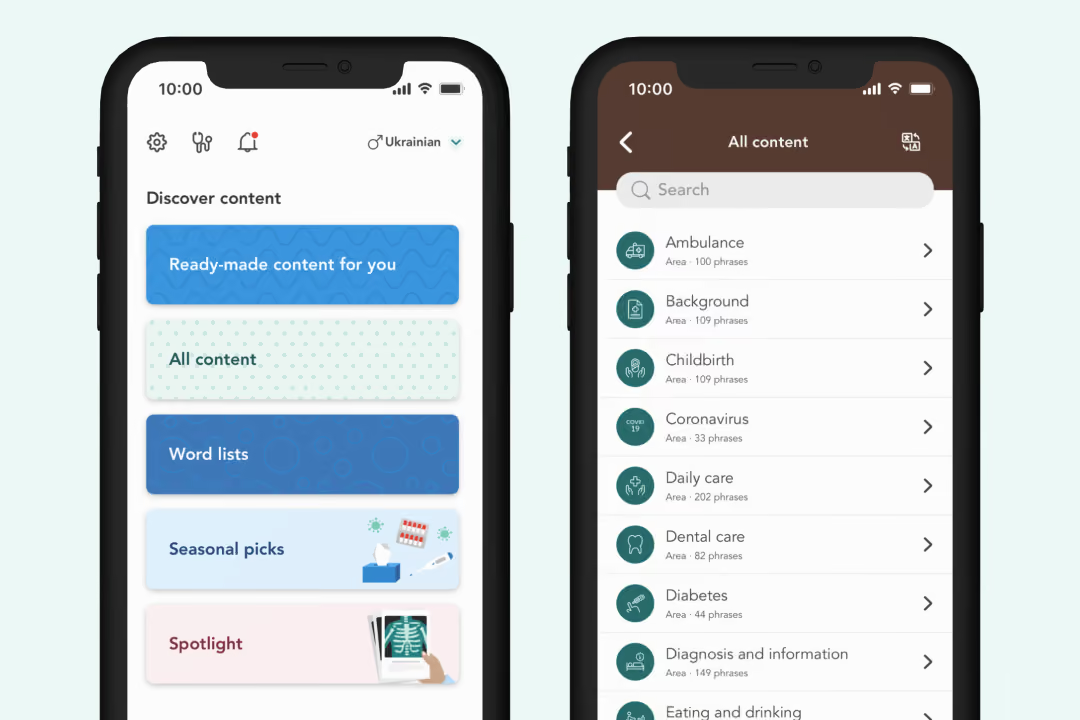
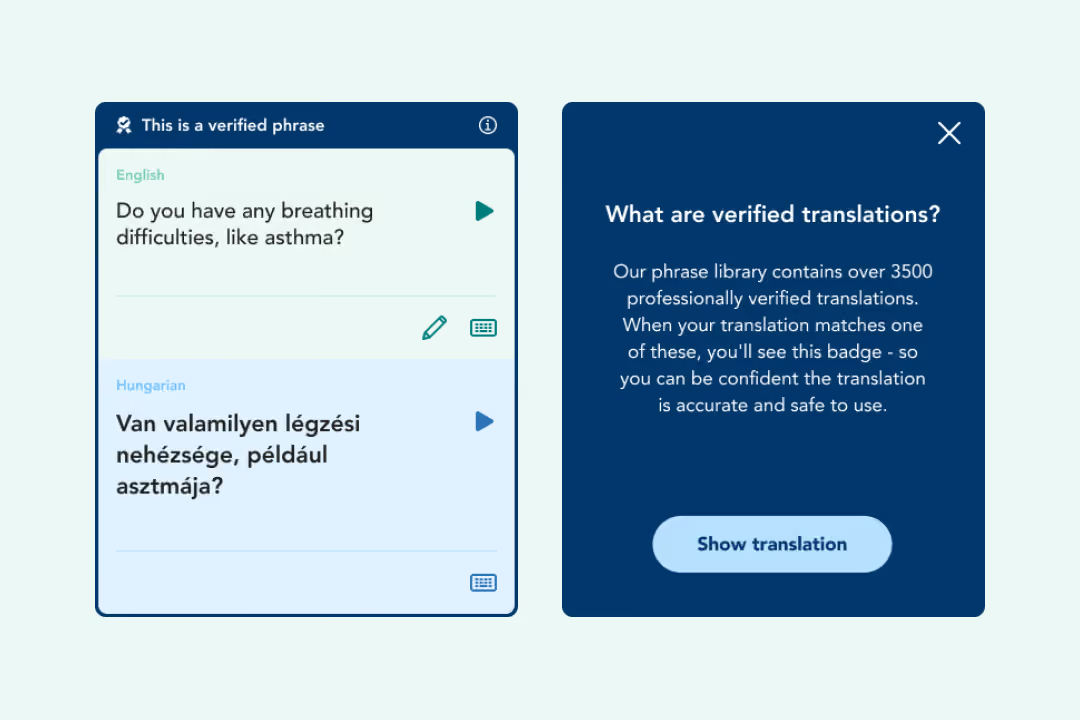
Our phrase library consists of over 3500 medically verified phrases, with translations in 52 languages.
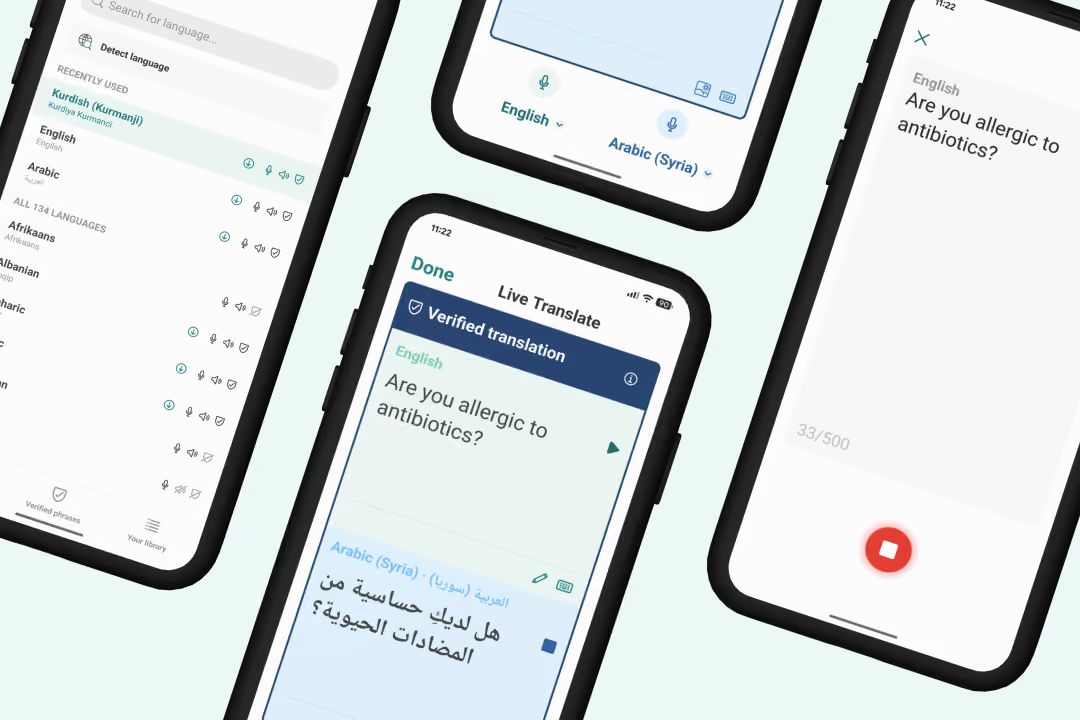
Our real-time AI translation feature is the perfect complement to our trusted verified phrase library. Communicate freely in 130+ languages and several dialects - without storing any data, ensuring patient safety. This feature empowers you to foster open and effective communication with patients from diverse backgrounds.
Learn more here.
Ready to see it in action? Book a demo today and discover how this feature can transform communication in your organization.
When you enter a text in Live Translate that matches with a phrase in the verified phrase library, the verified translation will be used instead of the machine translation. This way, whenever there's an option to present quality assured translations, you can.
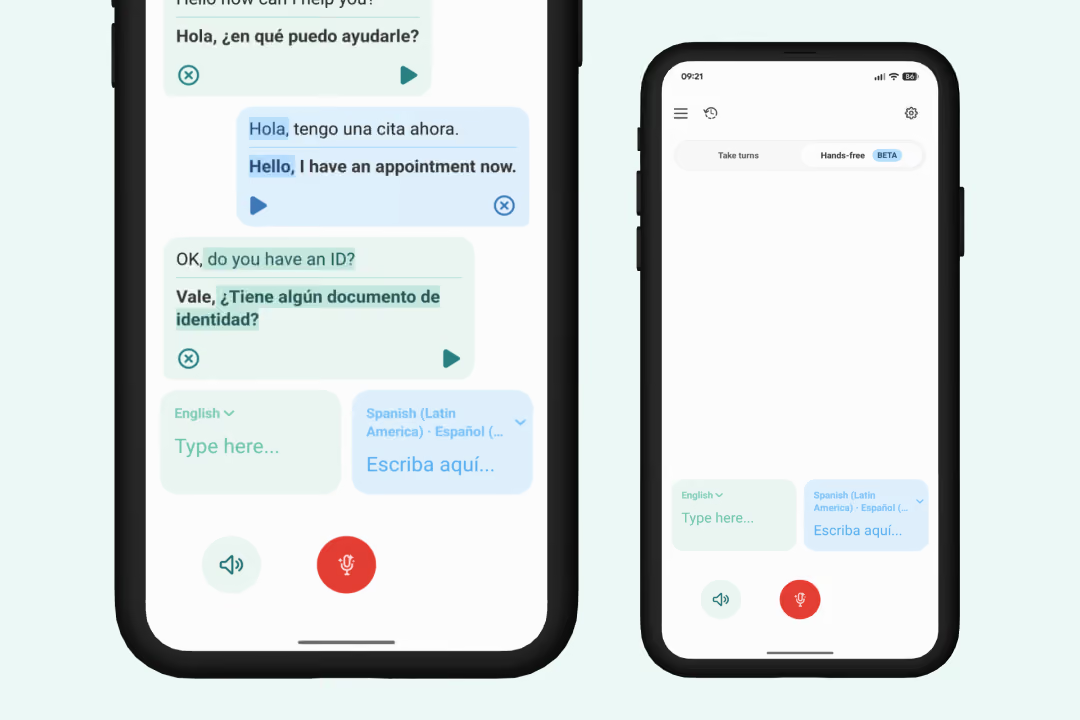
Hands-free mode is designed to make your voice-to-voice conversations smoother and more natural. Instead of tapping your screen every time someone speaks, the app can now automatically listen, translate, and play the translation aloud. Easily track who said what with distinct color-coded speech bubbles for multiple participants.
Learn more here.
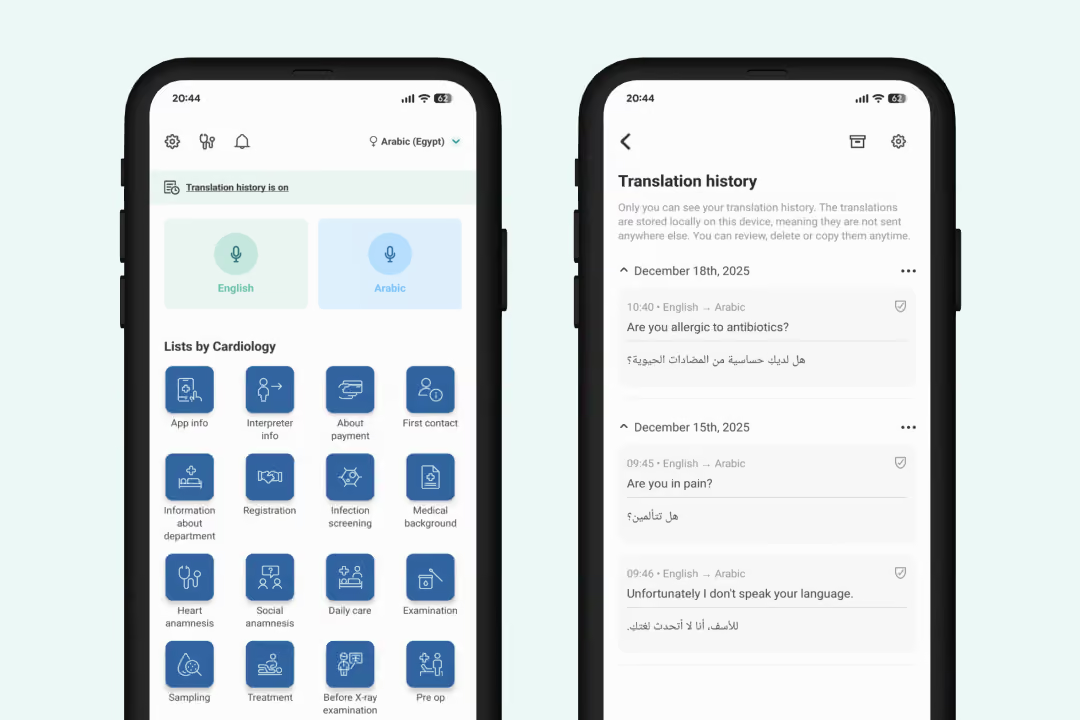
Keep a secure record of your conversations for documentation or sharing. This feature combines your Live Translate and phrase library activity into a single view. You can fully customize how languages appear, export text to your clipboard, or set data to auto-clear on sign-out. Translation history is only saved on your device.
"As a healthcare professional, I highly recommended this app if you're building medical vocabulary in another language."
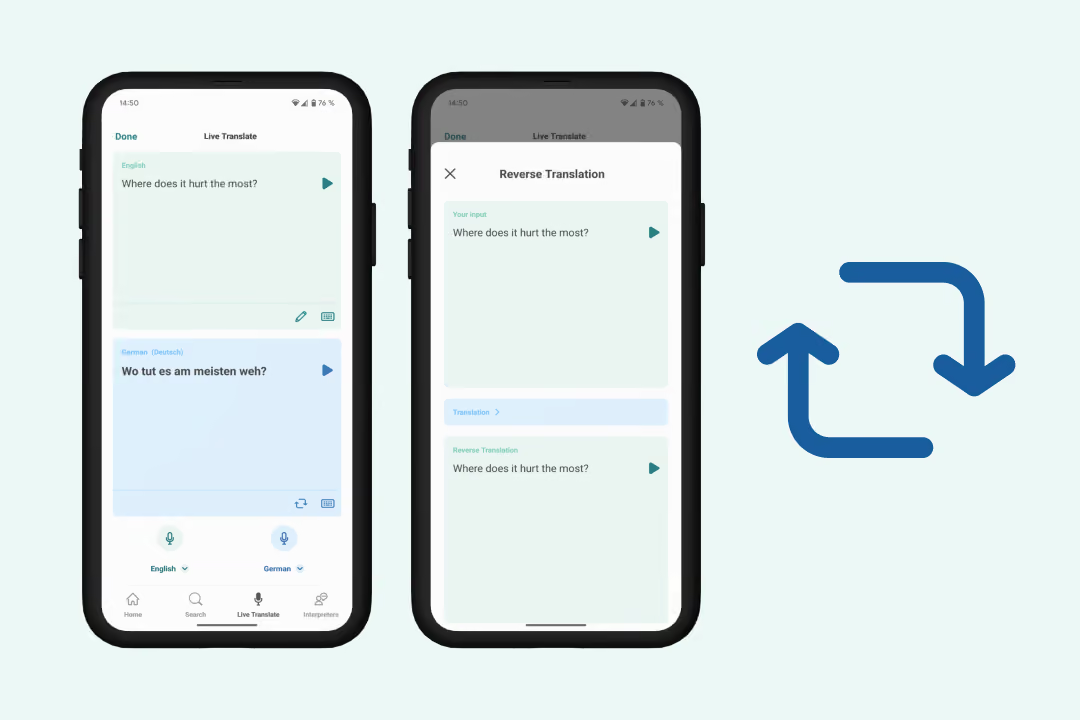
Want to quality check your real-time translation? You can reverse your Live Translate translation back to it's original language to quickly see if it matches what you want to say, and avoid any misunderstandings.
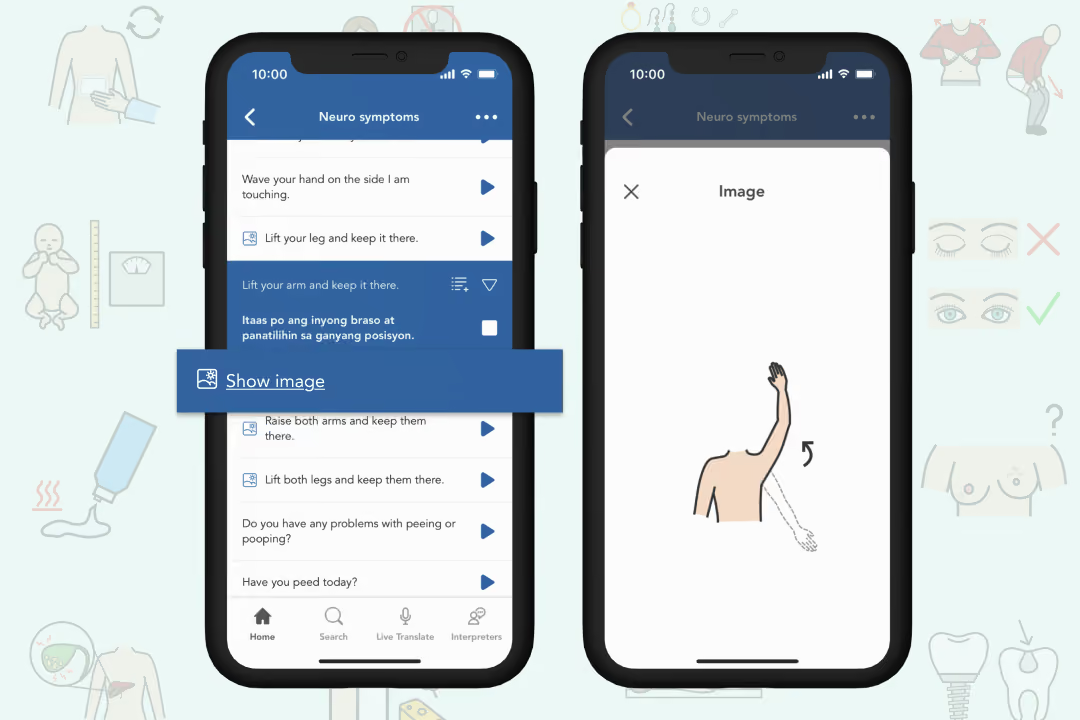
Support translations with over 600 images for clearer and more effective communication.
Image support is especially good for situations when describing a certain procedure, position or object that might not be commonly known in everyday life.
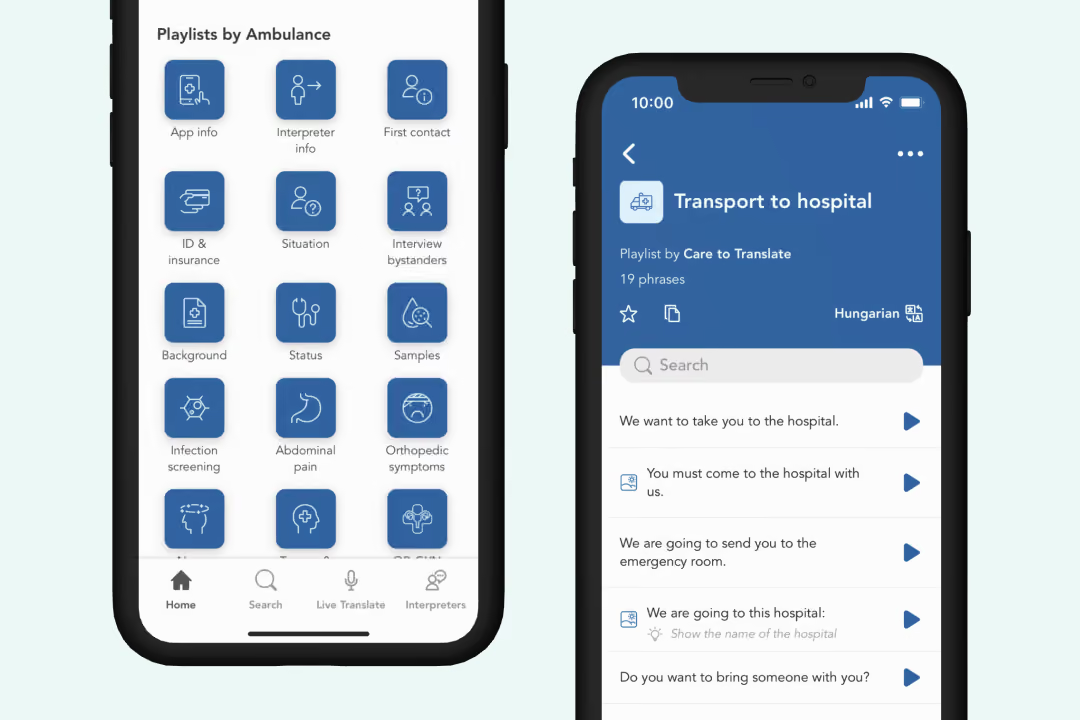
Use ready-made lists of phrases to get quick access to the translations you need the most. You can also create your own lists of phrases in the order that best suits you. Search to find new content to add to your lists and sort your translations after real life conversations you have with your patients. Mark lists as favorites to quickly find them when you need them.
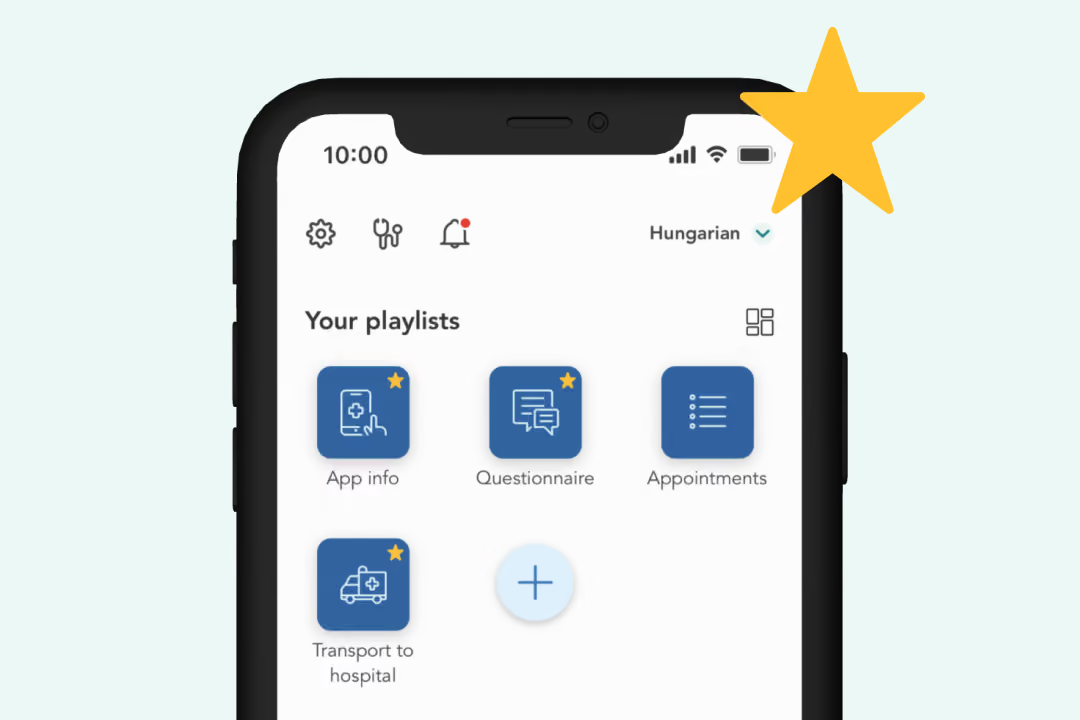
Tag your favorite lists with a star to make them appear under “Your lists” on your home screen. This makes it even easier to find the content you use the most, when you need it.
Learn more here
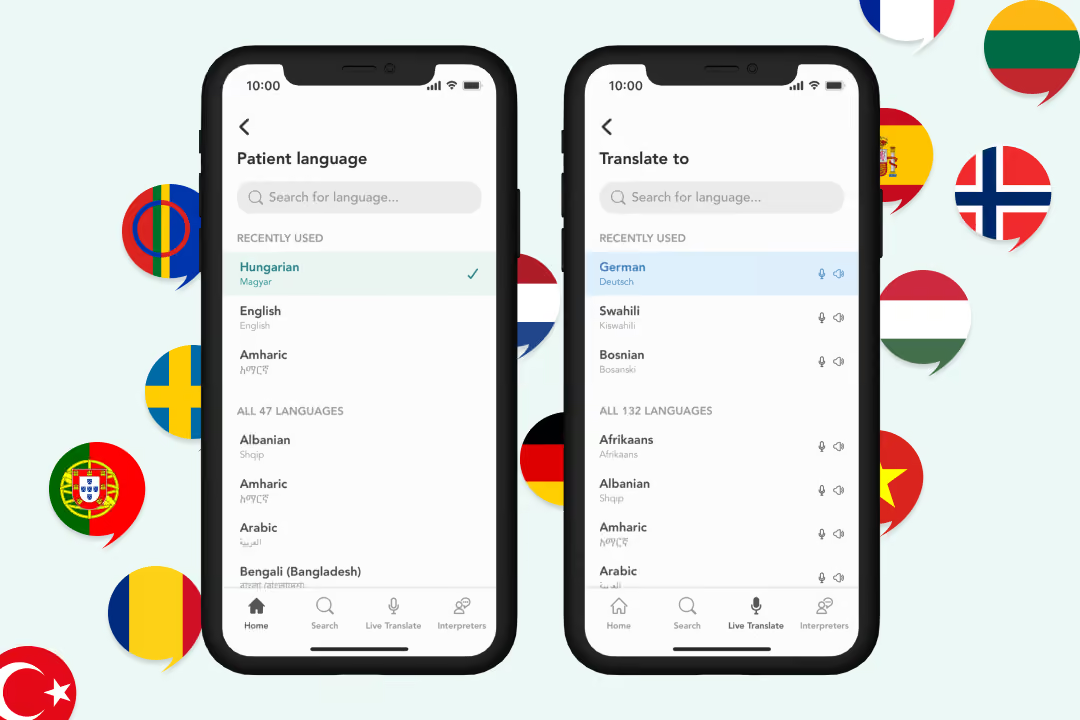
Use our phrase library in 52 languages or Live Translate in 130+ languages (and several dialects).
Explore all languages here
Find the best solution for your organization.
Explore packages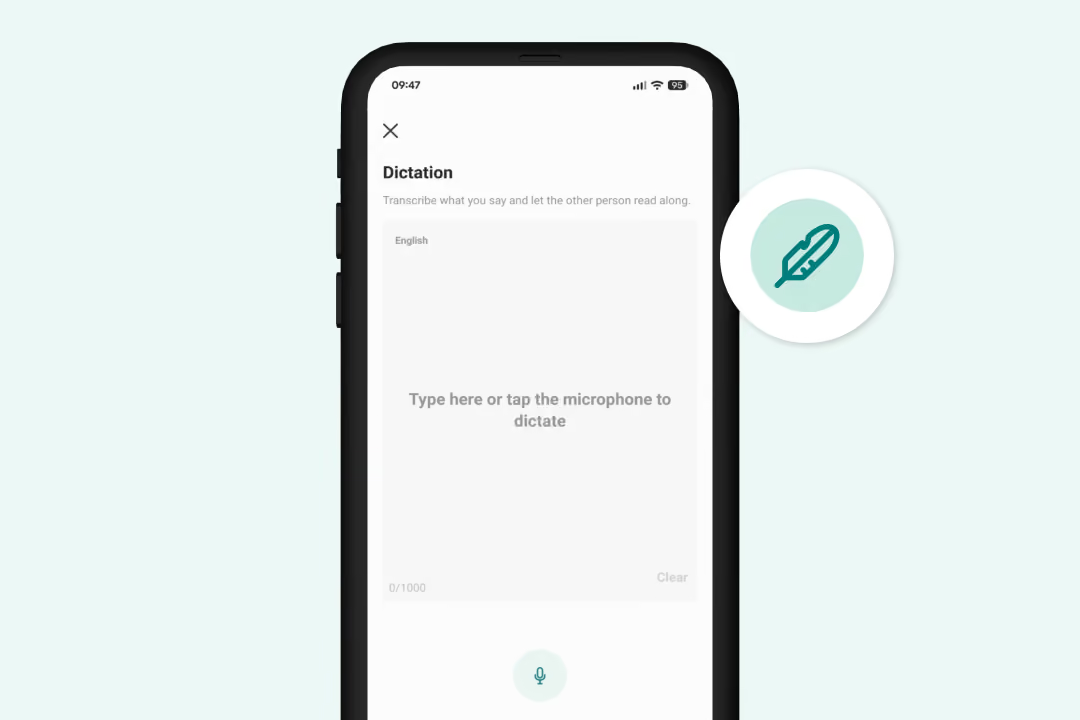
Foster clearer communication with our new Dictation tool, which instantly transcribes speech into text. This feature is perfect for everyday care situations, specifically supporting users who are hearing impaired or those who simply process information better when they can read along with the conversation.
Learn more here
Follow instructions for clearer communication – use ready-made word lists, point, write or say essential details.
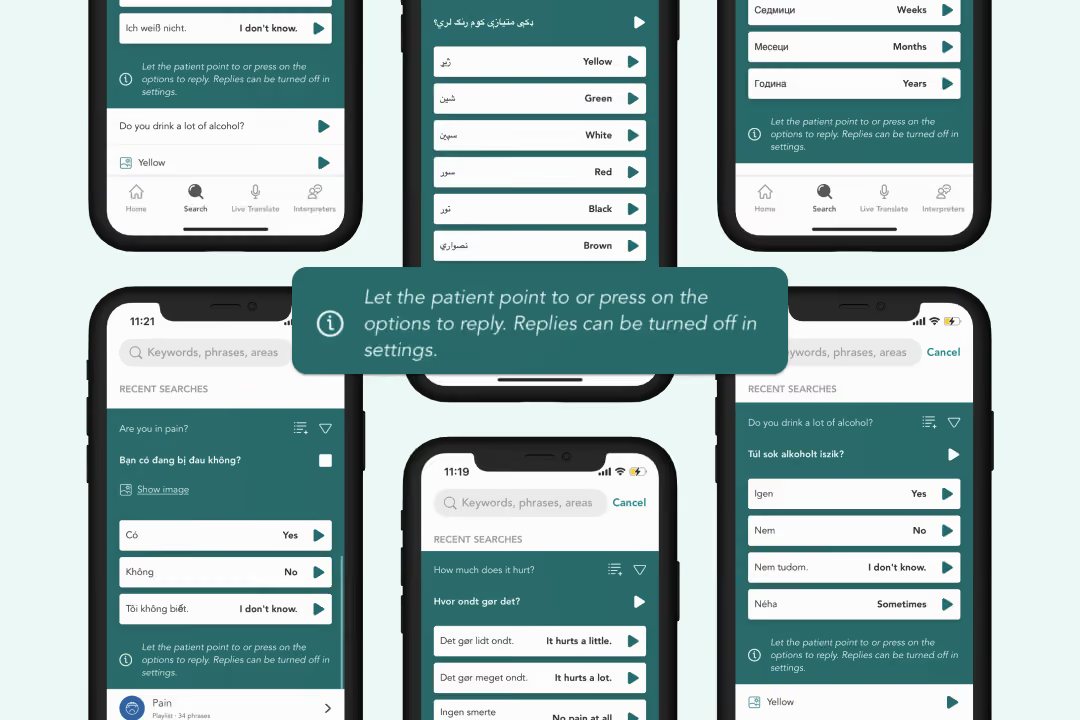
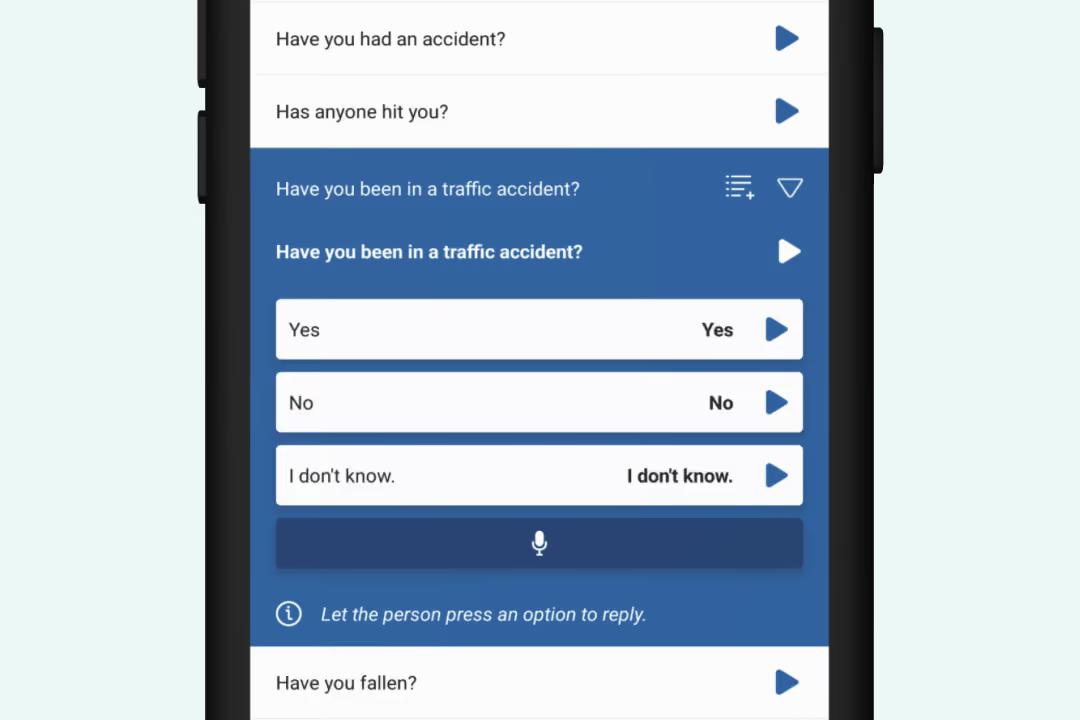
Enable tappable responses for faster communication. There's also the possibility to respond with Live Translate – record a response that is translated in real-time and presented to you as healthcare provider.
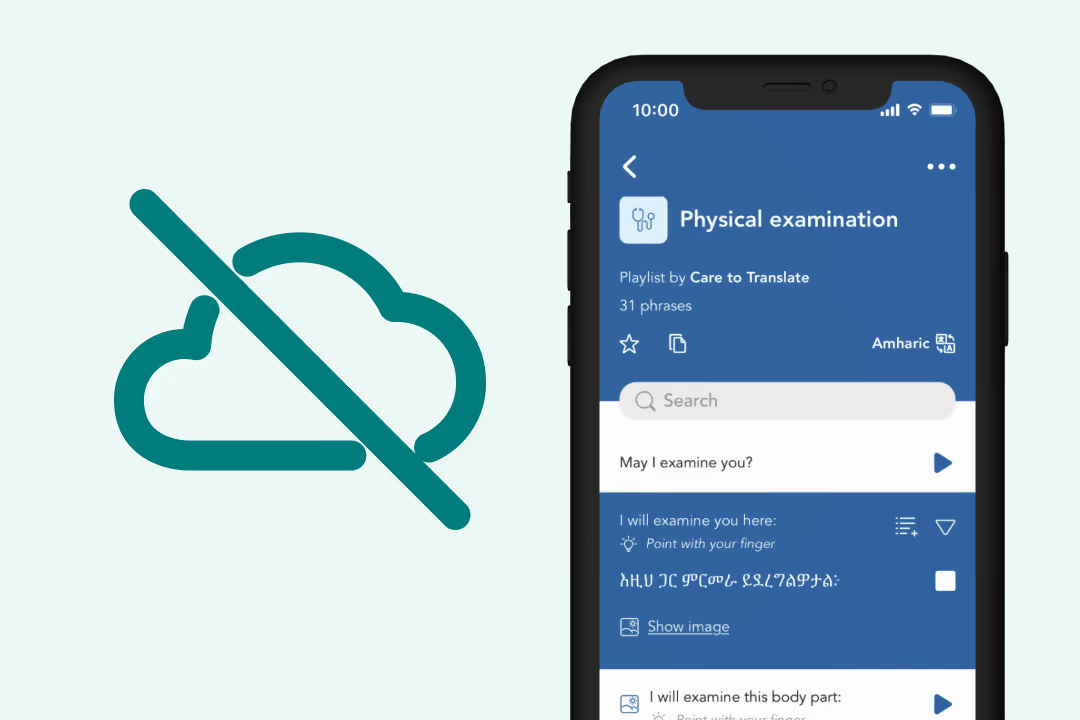
Who likes app functionality being compromised by bad internet connection? Not us! That's why we recommend everyone using Care to Translate to explore offline mode in the settings of the app.
Offline mode lets you download the entire phrase library, or your personal or shared lists, in the language of your choice to your device. This means the app's core functionality will still be fully functional in offline environments.
Learn more here
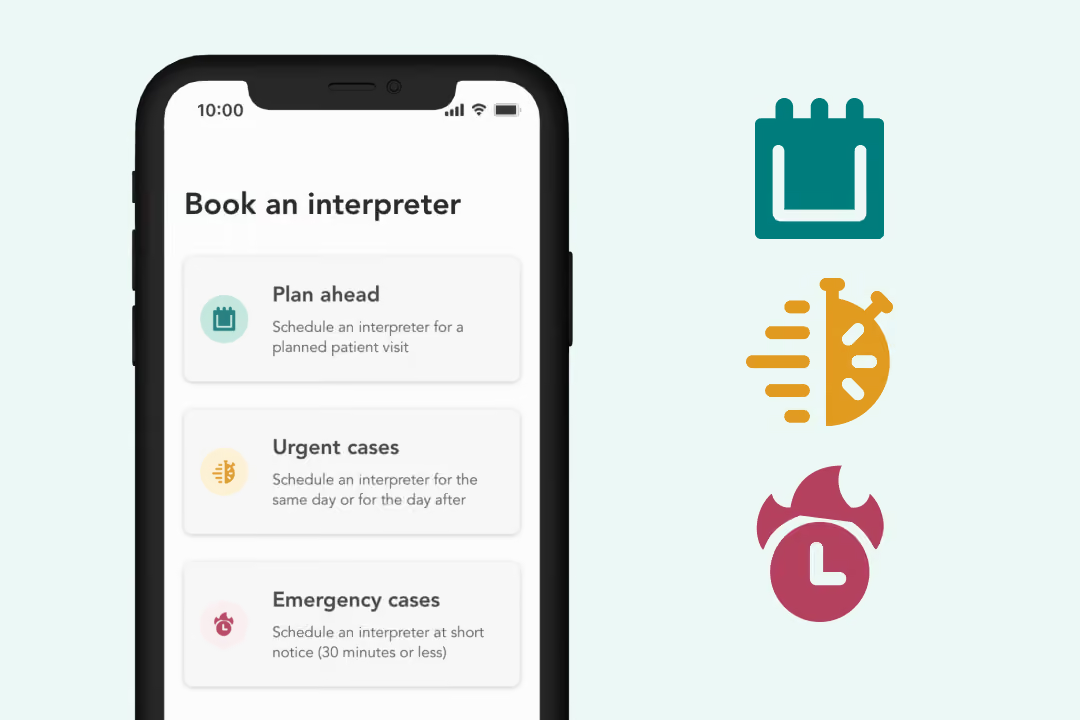
Care to Translate can support communication in lots of different situations, but sometimes an interpreter needs to be booked. You can easily add interpreter service contact information to the app, giving clinic staff quick access to the right support when needed.
Sort contact details after planned visits, urgent cases, or emergency cases.
Learn more about how our digital medical translator works and explore how Care to Translate can be tailored to your needs.
Book a demo