
2026-10-23
News
Making conversations in healthcare more accessible with improved readability in Care to Translate.
Clear communication in healthcare isn't always about overcoming language barriers. Sometimes, it's about making spoken words easier to see and understand.
With the latest update to Dictation in Care to Translate, users can now choose between different color profiles to increase text contrast, making it easier for patients with impaired vision or hearing to follow conversations.
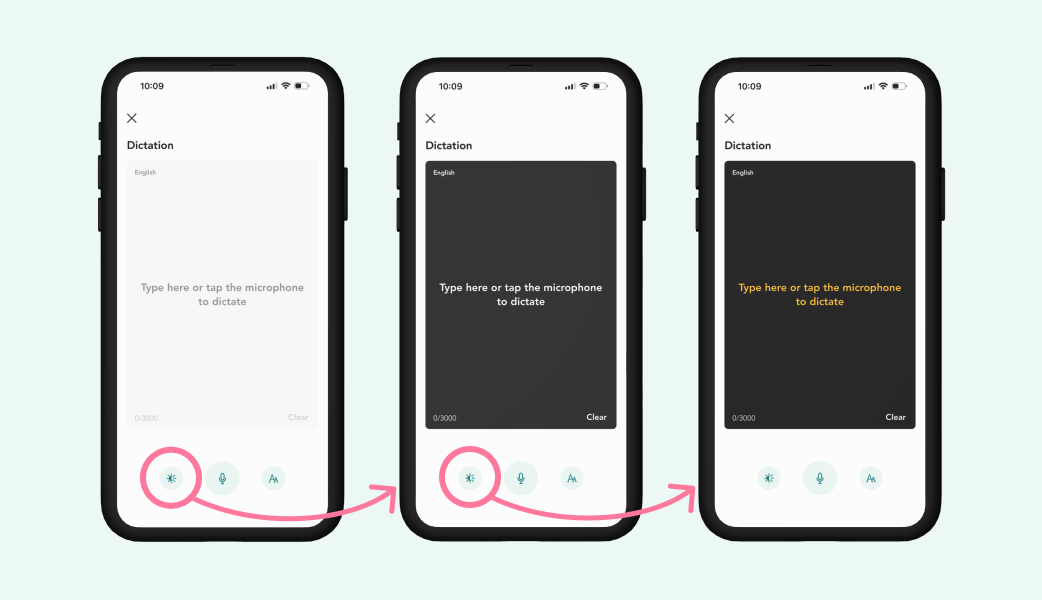
Dictation allows healthcare professionals to transcribe speech into text in real time, within the same language. It's particularly useful when communicating with patients who have hearing difficulties or benefit from reading along during conversations.
The latest accessibility improvements make Dictation even easier to use:
The new contrast settings were inspired by feedback from a Swedish healthcare department specializing in hearing rehabilitation. Their team uses Dictation to communicate with older patients experiencing both hearing and vision impairments.
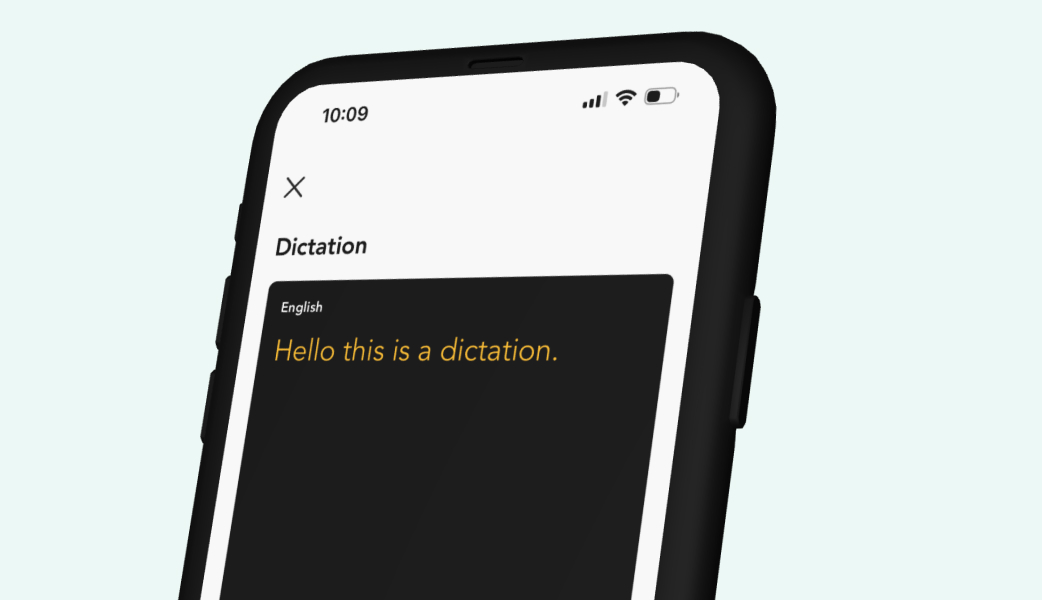
By making the transcribed text easier to read, we hope to support more accessible conversations for both healthcare professionals and patients.
The improved contrast settings are included in Care to Translate version 26.4.0. Dictation is available to users with Premium, Team and Enterprise plans.
Open Care to Translate and find Dictation in the menu to explore the accessibility settings.